
Drops Tracker
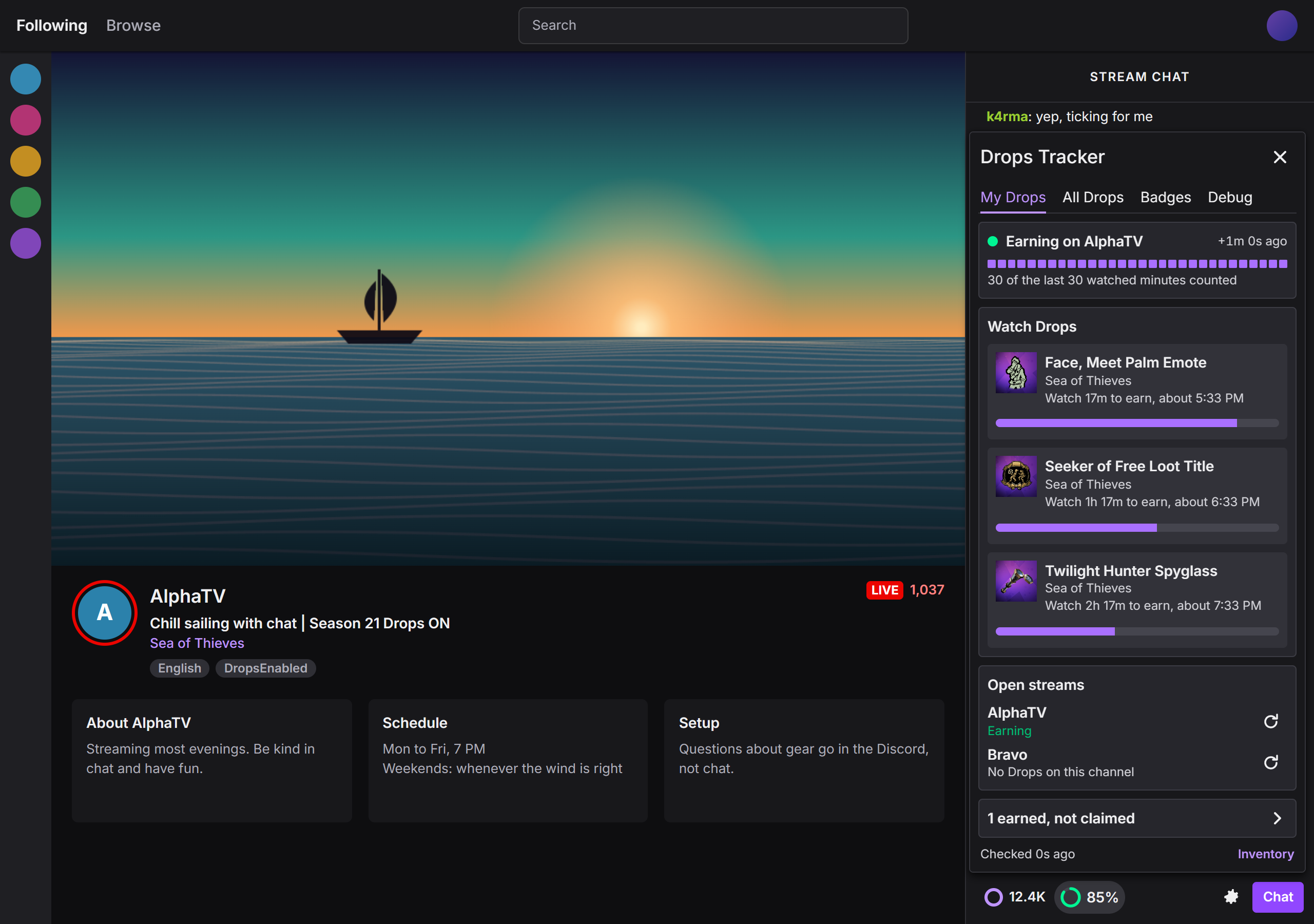
Tells you whether Twitch is really adding Drops watch-minutes right now, and warns you when it is not.
Why it exists
Twitch's Drops progress bars only update when the page loads, and watch-time sometimes stops being credited while the stream keeps playing normally. You find out an hour later. Drops Tracker asks Twitch once a minute how many minutes you have, and treats rising minutes as the only proof that you are earning.
What it shows
- A chip in the chat row with your progress, or
Hungwhen minutes stop rising while a stream that can earn is open. - A toolbar badge and a desktop notification when earning stops, plus a small on-page warning that stays visible in fullscreen.
- A likely cause when it stalls: paused, frozen player, too many streams open, or a drop waiting to be claimed.
- My Drops, All Drops and Badges tabs listing what the current channel can earn, every campaign running on Twitch, and channel badges.

What it never does
It is read-only. It never claims a drop, never simulates watching, and never opens a stream for you. It talks only to Twitch, and nothing is sent to me or anyone else. Details are in the privacy policy.
Unofficial and not affiliated with Twitch. It uses the same private requests as twitch.tv, which Twitch can change without notice.
Support
Report a problem or ask a question on GitHub Issues, or email hovjsy@proton.me. The panel's Debug tab has a Copy debug info button whose output is safe to paste there: it never includes your Twitch login.